Beamer features
Beamer got a lot right for technical talks. Beamdown keeps those ideas, written the way pandoc writes Beamer slides, and shows the result as you type.
Build steps
Build a slide up point by point, written as pandoc writes beamer slides. A line holding only . . . pauses: what follows appears on the next click. incremental: true in the front matter reveals every list an item at a time, and incremental or nonincremental around a list turns that on or off for it alone. A picture after a pause appears on its own step. Each step is laid out as the finished slide, so nothing moves as it grows. The editor shows the finished slide. A PDF gives every step a page, as beamer does, so it can be presented from any PDF viewer; for a handout with one finished page per slide, add handout: true (or pandoc's classoption: handout) to the front matter, or export with beamdown export talk.pdf --handout. PowerPoint exports show finished slides.
Math
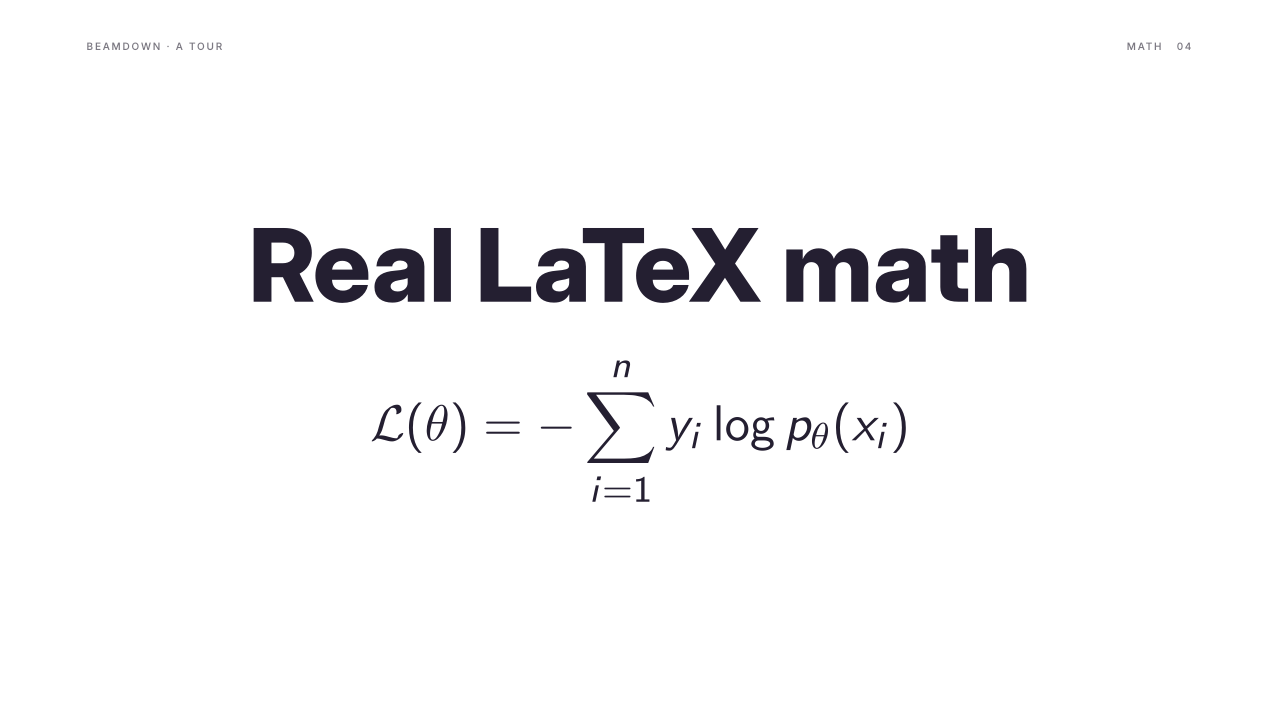
Write math as in pandoc: $E = mc^2$ in a line and $$…$$ displayed. Real LaTeX sets it, in beamer's sans-serif math by default or its serif math with math_font: serif, with amsmath, amssymb, mathtools, and bm loaded. Formulas sit on the text's baseline at its size, take its color, and stay vector in PDF. It needs latex and dvisvgm from TeX Live; each formula is typeset once and cached in ~/.cache/beamdown/math, and beamdown check names any formula LaTeX rejects.
Sections, running header and slide numbers
header: "Company · Proposal" adds a small running header with the slide's section and number on the right; name a slide's section with <!-- hype: section="Context" -->, and move its text with vertical="center" or vertical="bottom".
Hidden backup slides
Keep a backup slide without showing it: right-click it and choose Hide slide, or add hidden="true" to its hype comment. A hidden slide stays in the deck, dimmed in the sidebar, but presenting skips it and PDF and PowerPoint exports leave it out; beamdown export --include-hidden keeps it.